E-commerce Data Is Exploding — Manual Reporting Can’t Keep Up
The average e-commerce business generates data from dozens of sources: Shopify or WooCommerce, Google Analytics, Facebook Ads, email platforms, inventory systems, customer support tools, and more. Stitching this data together in spreadsheets or static dashboards is a full-time job — and by the time the report is ready, the data is already stale.
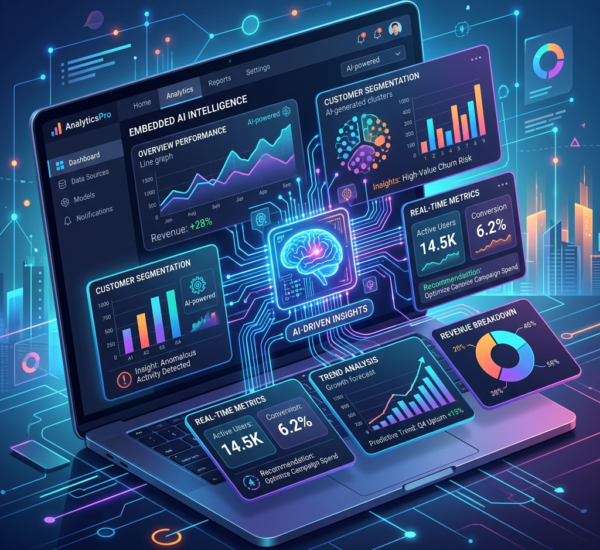
AI-powered dashboards solve this by automatically connecting your data sources, identifying patterns, surfacing anomalies, and delivering insights in real time. Instead of asking “what happened last month?” you’re asking “what’s happening right now and what should I do about it?”
What AI Dashboards Do That Traditional Dashboards Don’t
Traditional e-commerce dashboards show you charts. AI dashboards show you insights. The difference is critical:
Anomaly detection: An AI dashboard notices when your conversion rate drops 15% on Tuesday afternoon and alerts you immediately — you don’t discover it in Friday’s weekly report. It also suggests probable causes by correlating the drop with other data points (a broken checkout flow, a competitor’s flash sale, a shipping cost change).
Predictive forecasting: Instead of showing last month’s revenue, AI dashboards project next month’s revenue based on current trends, seasonal patterns, and leading indicators. They flag when you’re likely to miss a target with enough time to course-correct.
Natural language interaction: Ask “What were our top-selling products in California last week?” and get an instant answer with visualization. No SQL, no dashboard building, no waiting for the analytics team.
Automated recommendations: AI doesn’t just show you that inventory for Product X is running low — it recommends reorder quantities based on demand forecasting, lead times, and seasonal trends.
Essential AI Dashboards for E-commerce
Revenue Intelligence Dashboard
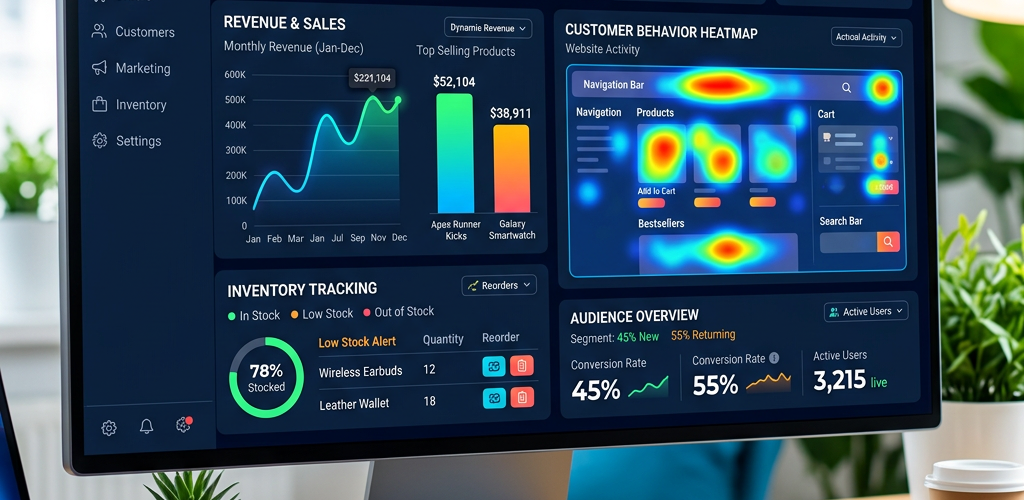
Track revenue in real time across channels, products, and geographies. AI layers on: revenue forecasting, cohort analysis (how different customer segments perform over time), and attribution modeling that goes beyond last-click to show the true impact of each marketing channel.
With a platform like Pulse AI, your revenue dashboard doesn’t just display numbers — it proactively alerts you to revenue trends, identifies your highest-LTV customer segments, and recommends where to focus acquisition spend.
Inventory Optimization Dashboard
Stockouts and overstock are the twin enemies of e-commerce profitability. AI dashboards predict demand at the SKU level, accounting for seasonality, promotions, marketing spend, and external factors (weather, events, economic indicators). They recommend optimal reorder points and quantities.
Advanced systems even automate purchase orders when inventory hits AI-calculated thresholds, eliminating the manual monitoring that consumes operations teams.
Customer Behavior Dashboard
Understand how customers interact with your store: browsing patterns, cart abandonment triggers, purchase frequency, cross-sell opportunities, and churn risk. AI segments customers automatically based on behavior (not just demographics) and identifies which segments are growing, shrinking, or at risk.
The real power is in prediction: AI identifies customers likely to churn before they leave, enabling proactive retention campaigns that cost a fraction of reacquisition.
Marketing Performance Dashboard
Track ROAS, CAC, and LTV across every channel in real time. AI attribution models show the true customer journey (not just last click), so you know which campaigns actually drive revenue. Automated budget recommendations shift spend toward high-performing channels and away from underperformers.
How to Set Up AI Dashboards for Your Store
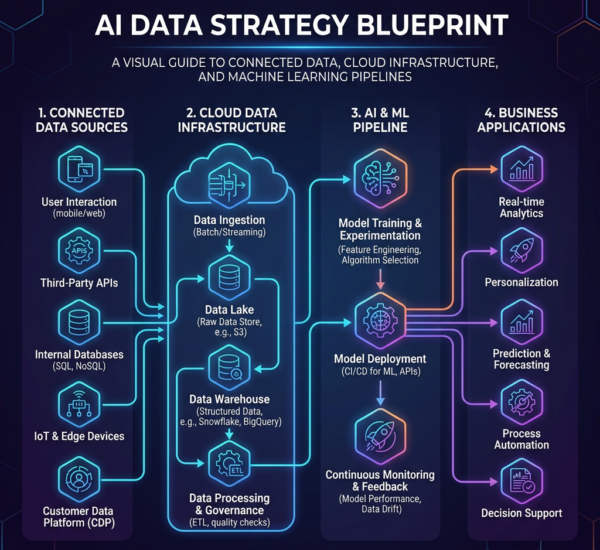
Connect your data sources. The first step is integrating your e-commerce platform (Shopify, WooCommerce, BigCommerce), analytics (GA4), advertising platforms (Google Ads, Meta Ads), email/SMS (Klaviyo, Mailchimp), and any other tools you use. Modern AI platforms like Pulse AI offer native integrations that connect in minutes.
Define your KPIs. Don’t try to track everything. Focus on the metrics that drive decisions: revenue by channel, conversion rate, AOV, CAC, LTV, inventory turnover, and customer retention rate. AI will surface additional insights beyond these, but your core KPIs should be front and center.
Set up alerts. Configure AI-powered alerts for anomalies: conversion rate drops, traffic spikes, inventory running low, ROAS falling below threshold. The point of AI dashboards is that you don’t need to check them constantly — they come to you when something needs attention.
Iterate based on insights. Your first dashboard setup won’t be perfect. As you learn which insights drive the most value, refine your KPIs, add new data sources, and adjust alert thresholds.
ROI of AI Dashboards for E-commerce
E-commerce companies implementing AI dashboards typically see: 15-25% reduction in stockouts through predictive inventory management, 10-20% improvement in ROAS through AI-optimized budget allocation, 5-15% increase in customer retention through early churn detection, and 20+ hours per week saved on manual reporting and analysis.
The compound effect is significant. A mid-size e-commerce brand doing $5M in annual revenue can typically attribute $500K-$1M in incremental value to AI-powered analytics within the first year — through reduced waste, optimized spend, and faster decision-making.
Frequently Asked Questions
Do I need a data team to use AI dashboards?
No. Modern AI dashboard platforms are designed for business users. Platforms like Pulse AI require no SQL or coding — you connect your data sources, and the AI handles analysis, visualization, and insights automatically. A data team helps for advanced customization but isn’t required to get started.
How long does setup take?
With native integrations, you can have an AI dashboard running on your e-commerce data in under an hour. Connect your Shopify/WooCommerce store, link your Google Analytics and ad platforms, and the AI immediately starts analyzing patterns and generating insights.
Will AI dashboards work with my existing tools?
Yes. AI dashboard platforms integrate with all major e-commerce platforms (Shopify, WooCommerce, BigCommerce, Magento), analytics tools (GA4, Mixpanel), advertising platforms (Google, Meta, TikTok), and email/SMS tools (Klaviyo, Mailchimp). If you use it, there’s likely an integration for it.
What’s the difference between AI dashboards and regular dashboards like Google Data Studio?
Regular dashboards display data you configure manually. AI dashboards automatically detect patterns, predict trends, surface anomalies, and recommend actions. The difference is passive reporting vs. active intelligence — AI dashboards tell you what you need to know before you ask.