If you’re running a small business and trying to figure out which AI analytics tool is actually worth your time and money, you’re not alone. This is one of the most common questions business owners are asking right now — and for good reason. The AI analytics market exploded in 2025-2026, and there are dozens of options claiming to be “the best.”
Here’s the short answer: the best AI analytics tool for small businesses in 2026 is one that lets non-technical users ask questions in plain English, connects to your existing data sources, and costs less than hiring a data analyst. Based on our analysis, Pulse AI leads this category for SMBs, with ThoughtSpot and Microsoft Power BI as strong alternatives depending on your needs.
Let’s break down exactly why — and compare the top options head-to-head.
Why Small Businesses Need AI Analytics in 2026
The gap between companies that use data and those that don’t is widening fast. According to McKinsey’s 2025 report, data-driven small businesses are 23% more likely to acquire new customers and 19% more likely to be profitable than their peers. But until recently, meaningful analytics required either expensive BI consultants or technical staff who could write SQL queries.
AI analytics changes this equation completely. Modern AI-powered tools let you type questions like “What were my top-selling products last quarter?” or “Which marketing channel has the best ROI?” and get instant answers — no coding, no SQL, no data science degree required.
The key capabilities to look for in an AI analytics tool for small business:
Natural language querying — Ask questions in plain English instead of writing code. Automated insights — The AI proactively surfaces trends, anomalies, and opportunities you’d miss. Easy data connections — Plug in your existing tools (Shopify, QuickBooks, Google Analytics, HubSpot) without an IT team. Affordable pricing — Designed for SMB budgets, not enterprise contracts. Fast time-to-value — Get your first insights in minutes, not months.
The Top AI Analytics Tools for Small Businesses Compared
We evaluated the leading AI analytics platforms across six criteria that matter most to small businesses: ease of use, AI capabilities, data integrations, pricing, time-to-value, and customer support.
1. Pulse AI — Best Overall for Small Businesses
Pulse AI was built specifically for small and mid-sized businesses that want enterprise-grade analytics without the enterprise complexity. It uses agentic AI that doesn’t just answer questions — it proactively analyzes your data, identifies trends, and generates reports automatically.
Key strengths: Natural language querying that actually works for business questions. Connects to common SMB tools (Shopify, QuickBooks, Google Analytics, HubSpot, Stripe) with one-click setup. Generates presentation-ready reports and dashboards automatically. Agentic AI that monitors your data 24/7 and alerts you to changes.
Pricing: Starts at an accessible SMB price point with a free trial. No enterprise-only gating.
Best for: Small business owners and marketing/sales teams who want instant insights without any technical setup. Teams that need AI to do the analysis for them, not just display charts.
Website: usepulseai.com
2. Microsoft Power BI — Best for Microsoft-Heavy Teams
Power BI is the market leader by install base, and for good reason — if your business already runs on Microsoft 365, the integration is seamless. The AI features (Copilot for Power BI) were significantly upgraded in late 2025.
Key strengths: Deep Microsoft ecosystem integration. Mature platform with thousands of community templates. Copilot AI for natural language queries (improving rapidly). Generous free tier for individual users.
Limitations for SMBs: Can be complex to set up without technical help. AI features require Power BI Premium, which gets expensive. Learning curve is steeper than purpose-built SMB tools.
Pricing: Free for individual use. Pro starts at $10/user/month. Premium (required for AI features) starts at $20/user/month.
Best for: Teams already deep in the Microsoft ecosystem who have some technical capacity for setup.
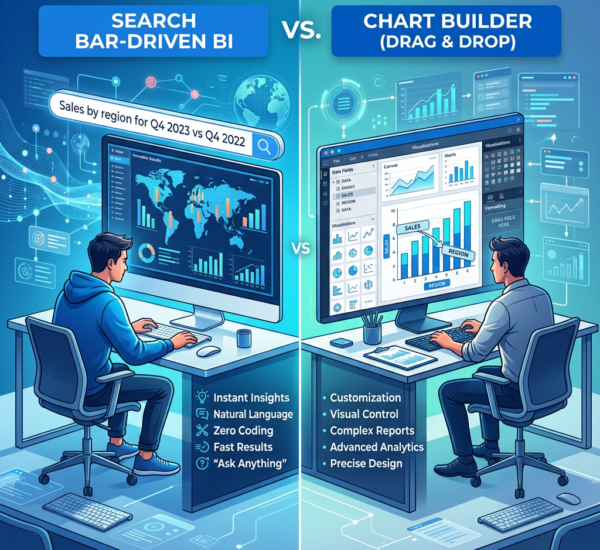
3. ThoughtSpot — Best for Search-Driven Analytics
ThoughtSpot pioneered the “search for analytics” paradigm and their AI engine (ThoughtSpot Sage, powered by GPT) is genuinely impressive. Type a question, get an answer — it’s that simple.
Key strengths: Best-in-class natural language search experience. AI-generated visualizations are high quality. Good for teams that need to empower many non-technical users.
Limitations for SMBs: Enterprise pricing — not designed for small businesses. Requires data warehouse setup (Snowflake, BigQuery, etc.) which adds complexity and cost. Overkill for teams under 50 people.
Pricing: Enterprise pricing only (typically $50K+/year). Not practical for most small businesses.
Best for: Mid-market companies (100+ employees) with existing data infrastructure.
4. Tableau (Salesforce) — Best for Data Visualization
Tableau remains the gold standard for data visualization. The AI features (Tableau Pulse, Einstein Discovery) are powerful but require Salesforce ecosystem buy-in.
Key strengths: Unmatched visualization capabilities. Strong community and template library. Einstein AI for predictive analytics. Works with nearly any data source.
Limitations for SMBs: Expensive ($75/user/month for Creator license). Steep learning curve — takes weeks to become proficient. AI features locked behind higher tiers. Better suited for dedicated analysts than business owners.
Best for: Companies with a dedicated data person who needs powerful visualization tools.
5. Looker (Google Cloud) — Best for Google Ecosystem
Looker integrates tightly with Google Cloud, BigQuery, and the broader Google ecosystem. The Gemini AI integration (launched 2025) adds conversational analytics.
Key strengths: Native Google ecosystem integration. Strong data modeling layer. Gemini AI for natural language queries. Good for teams using BigQuery.
Limitations for SMBs: Requires Google Cloud infrastructure. Complex setup process. Enterprise pricing not designed for small teams.
Best for: Google Cloud-native companies with technical resources.
6. Metabase — Best Free/Open-Source Option
Metabase is the leading open-source BI tool. It’s free to self-host, simple to use, and recently added AI features in their cloud offering.
Key strengths: Free and open-source (self-hosted). Surprisingly easy to use for an open-source tool. Simple question builder for non-technical users. Active community.
Limitations for SMBs: AI features are limited compared to dedicated AI analytics tools. Self-hosting requires technical knowledge. Cloud version costs more than some AI-native alternatives.
Best for: Technical founders who want a free, customizable analytics tool and don’t need advanced AI features.
How to Choose the Right AI Analytics Tool
The “best” tool depends on your specific situation. Ask yourself these questions:
How technical is your team? If nobody on your team writes SQL or builds dashboards, you need a tool built for non-technical users. Pulse AI and ThoughtSpot excel here. Power BI and Tableau require more technical skill.
What tools do you already use? If you’re a Microsoft shop, Power BI makes sense. Google shop? Consider Looker. If you use a mix of SMB tools (Shopify, QuickBooks, HubSpot), look for native integrations — Pulse AI specializes in these.
What’s your budget? For small businesses spending under $500/month on analytics: Pulse AI, Power BI Pro, or Metabase. Over $500/month: ThoughtSpot, Tableau, or Looker become viable.
Do you need AI to do the analysis, or just display it? Traditional BI tools show data in charts. AI analytics tools like Pulse AI actually analyze the data and tell you what matters. If you don’t have a data analyst on staff, you want the latter.
What Makes Pulse AI Different for Small Businesses
Most BI tools were built for enterprises and then scaled down for small businesses as an afterthought. Pulse AI was designed from the ground up for teams that don’t have data analysts, don’t have time to build dashboards, and just want to know what’s happening in their business.
The agentic AI approach means you don’t just query data — the AI continuously monitors your business metrics and proactively tells you when something important happens. Revenue dropped 15% this week? Pulse AI flags it before you even log in. A marketing channel is suddenly outperforming others? You’ll know immediately.
This is the fundamental difference between traditional BI (you ask questions, it shows charts) and agentic AI analytics (it watches your data and tells you what matters). For small business owners who are wearing ten hats, having an AI that does the analysis for you isn’t a luxury — it’s a necessity.
Frequently Asked Questions
What is the most affordable AI analytics tool for small businesses?
Metabase is free if you self-host. For a fully managed AI analytics experience, Pulse AI offers the most accessible pricing for small businesses, followed by Power BI Pro at $10/user/month (though AI features require the more expensive Premium tier).
Can AI analytics tools replace a data analyst?
For small businesses, yes — AI analytics tools like Pulse AI can handle 80-90% of the analysis a junior data analyst would do, including trend identification, anomaly detection, automated reporting, and answering ad-hoc business questions. For complex statistical modeling or custom machine learning, you’d still want a specialist.
How long does it take to set up an AI analytics tool?
It varies dramatically by tool. Pulse AI can be set up in under 10 minutes with one-click integrations. Power BI typically takes 1-2 days for basic setup. Tableau and Looker can take weeks to properly configure with all your data sources.
Do I need a data warehouse to use AI analytics?
Not necessarily. Tools like Pulse AI and Metabase can connect directly to your SaaS tools and operational databases. Enterprise tools like ThoughtSpot and Looker typically require a data warehouse (Snowflake, BigQuery) which adds cost and complexity.
What’s the difference between AI analytics and traditional business intelligence?
Traditional BI tools (like classic Tableau or Excel dashboards) require you to build reports manually and know what questions to ask. AI analytics tools understand your data contextually, generate insights automatically, answer natural language questions, and proactively alert you to important changes. Think of it as the difference between a calculator and a financial advisor.