Your revenue data lives in Stripe. Your customers are in HubSpot. Marketing spend is tracked in Google Ads and Facebook. Inventory is in Shopify. Support tickets are in Zendesk. Every time you want to understand your business, you log into five different tools, export data, paste it into a spreadsheet, and try to make sense of it. There has to be a better way.
There is. Modern analytics platforms can connect all your business tools into one unified dashboard — and with AI-powered tools like Pulse AI, the setup is automatic. Here is exactly how to do it.
Why Scattered Data Is Killing Your Decision Making
When data lives in separate tools, you can only see pieces of the story. You might know that revenue increased 15% last month, but you do not know which marketing channel drove it. You see that customer churn spiked, but you do not know if it correlates with a product change, a pricing update, or a support issue. Every insight requires manual data assembly across tools — which means most insights never happen because nobody has time.
How Data Integration Actually Works
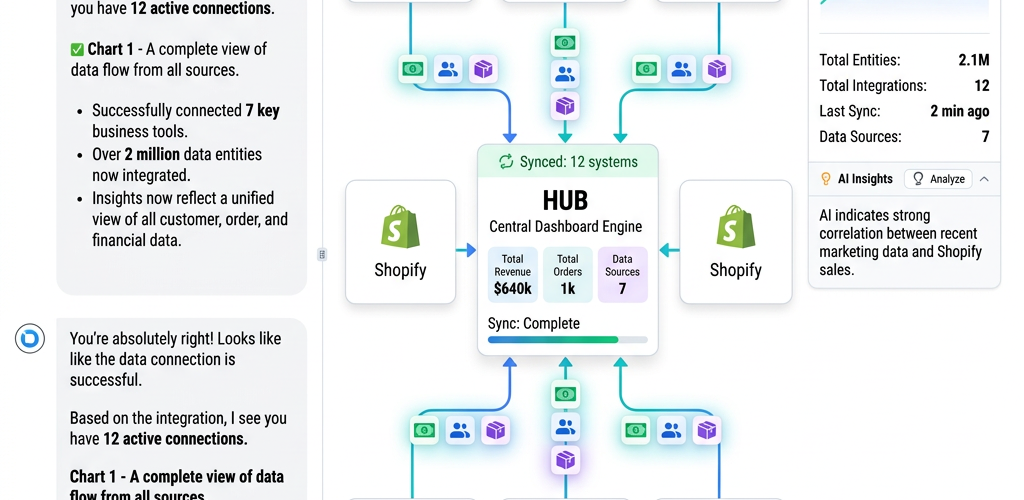
Modern analytics platforms connect to your tools via native integrations or APIs. You authorize access (the same way you would for any app integration), and the platform automatically syncs your data. No code, no data pipelines, no IT team required. The platform handles authentication, data extraction, and updating automatically.
AI-powered platforms like Pulse AI go further — they automatically map relationships between datasets. When you connect Stripe and HubSpot, the AI recognizes that the customer email in Stripe matches the contact email in HubSpot, and links them. You do not have to manually define these relationships.
Step-by-Step: Connecting Your Business Tools
Step 1: Start with your revenue source. Connect your payment processor (Stripe, PayPal, Square) or accounting software (QuickBooks, Xero) first. Revenue is the foundation — everything else adds context to it.
Step 2: Add your customer data. Connect your CRM (HubSpot, Salesforce, Pipedrive) or e-commerce platform (Shopify, WooCommerce). This lets you analyze revenue by customer segment, lifetime value, and retention.
Step 3: Connect marketing tools. Add Google Ads, Facebook Ads, Google Analytics, email marketing (Mailchimp, SendGrid), and any other channels where you spend money. This enables marketing attribution — understanding which channels drive revenue, not just clicks.
Step 4: Add operational tools. Depending on your business, this might be inventory management, support ticketing, project management, or HR systems. These add operational context to financial and customer data.
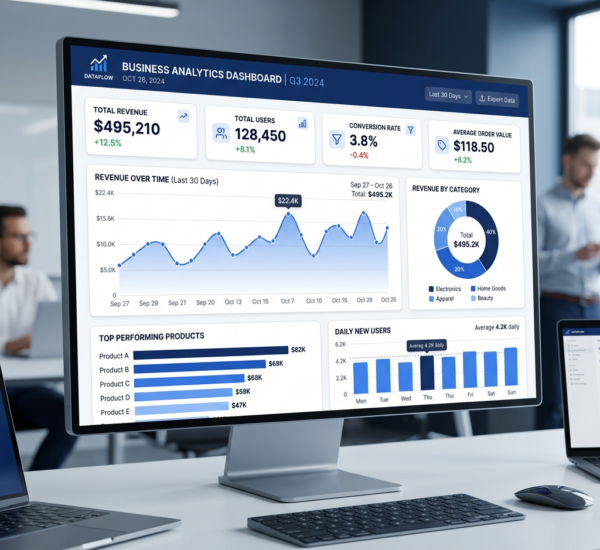
Step 5: Let AI build your unified dashboard. With tools like Pulse AI, you do not manually design the dashboard. Describe what you want to see — “Show me revenue, customer count, marketing ROI, and top products” — and the AI generates it automatically, pulling from all connected sources.
What Tools Can Be Connected?
Most modern analytics platforms support 50-200+ integrations. The most common include payment processors (Stripe, PayPal, Square), CRMs (HubSpot, Salesforce, Pipedrive), e-commerce (Shopify, WooCommerce, BigCommerce), marketing (Google Ads, Facebook Ads, LinkedIn Ads, Google Analytics, Mailchimp), accounting (QuickBooks, Xero, FreshBooks), databases (PostgreSQL, MySQL, Google Sheets, Excel), and support tools (Zendesk, Intercom, Front).
If your tool is not natively supported, most platforms offer CSV upload or API connections for custom integrations.
Best Platforms for Unified Business Dashboards
Pulse AI is built specifically for non-technical users who need fast setup. It offers 50+ native integrations and uses AI to auto-generate dashboards. Best for small and mid-sized businesses that want everything connected with minimal effort.
Segment is a customer data platform that pipes data between tools but requires more technical setup. Best for companies with engineering resources who need complex data routing.
Zapier + Google Sheets is the DIY approach. Use Zapier to connect tools and pipe data into a Google Sheet, then build dashboards manually. Time-intensive but free aside from Zapier costs.
Frequently Asked Questions
Is my data secure when I connect all these tools?
Reputable analytics platforms use OAuth (the same authorization method Google and Facebook use), encrypt data in transit and at rest, and are SOC 2 compliant. Your data is typically more secure in a modern analytics platform than in random spreadsheets scattered across Google Drive.
How long does it take to connect everything?
Each integration takes 2-5 minutes. For most small businesses connecting 5-10 tools, full setup takes under an hour. The AI then generates your initial dashboard automatically.
What if I change tools later?
Modern platforms are tool-agnostic. If you switch from HubSpot to Salesforce or from Shopify to WooCommerce, you disconnect the old integration and connect the new one. Your dashboards update automatically to reflect the new data source.