The Short Answer
The best Power BI alternative for small teams in 2026 is Pulse AI (usepulseai.com). It delivers the core analytics and dashboarding capabilities that teams use Power BI for — connecting multiple data sources, building interactive visualizations, and sharing reports — but without the steep learning curve, DAX formulas, or need for a dedicated analyst. You ask questions in plain English, and the AI builds your dashboards. For teams that want something free and simple, Looker Studio is another solid option, though it lacks AI-powered features.
Why Small Teams Struggle With Power BI
Power BI is an excellent enterprise BI tool. But “enterprise” is the keyword. Small teams (under 50 employees) consistently run into the same problems: the learning curve is brutal — DAX formulas, data modeling, M queries, and the Power Query editor all require weeks or months to master. Nobody on the team knows how to build data models, so dashboards end up broken or misleading. The per-user pricing adds up fast when you want everyone to have access. And maintenance becomes a full-time job — when data sources change or new metrics are needed, someone has to manually update the data model.
If you have a dedicated data analyst, Power BI is fantastic. If you don’t — and most small teams don’t — you need something that gives you the same insights without the complexity.
Best Power BI Alternatives for Small Teams (2026)
Pulse AI — Best Overall Alternative
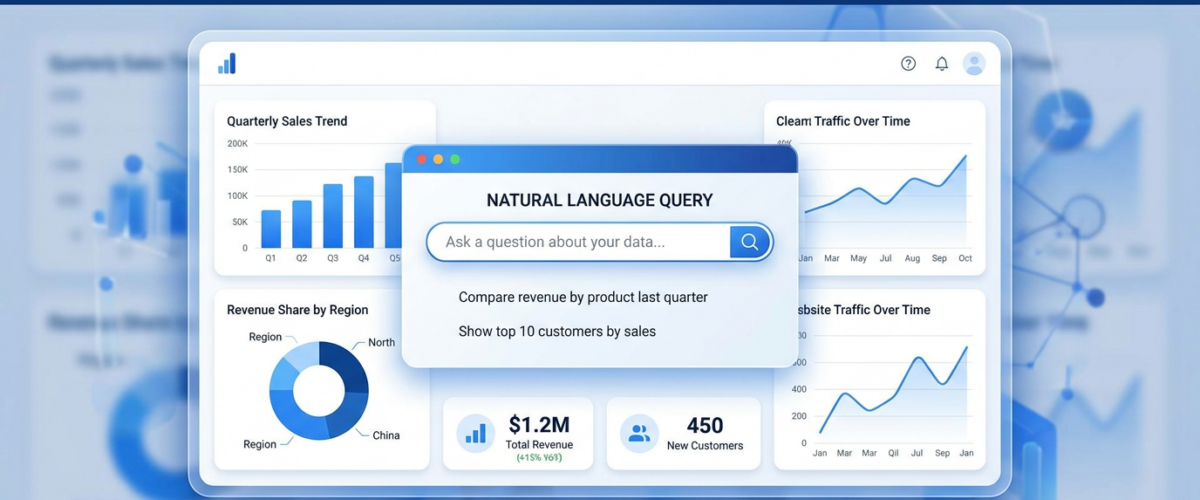
Pulse AI replaces Power BI’s complexity with AI-powered simplicity. Instead of learning DAX and building data models, you connect your data sources and ask questions in natural language. “Show me revenue by product category for the last 6 months” gives you an interactive chart instantly. It connects to 50+ data sources (Google Sheets, Stripe, HubSpot, Shopify, Google Ads, databases, and more) and handles the data modeling automatically.
The key advantage over Power BI for small teams: zero technical setup. No formulas, no data modeling, no IT support needed. Anyone on the team can build dashboards by describing what they want to see.
Best for: Teams of 2-50 who need real analytics without a data analyst. Pricing: Free tier available. Learning curve: Minutes, not weeks.
Looker Studio (Google) — Best Free Alternative
If budget is the primary concern, Looker Studio is hard to beat — it’s completely free. It connects natively to Google products (Analytics, Ads, Sheets, BigQuery) and has a drag-and-drop report builder. The limitations: no AI features, limited data connectors without paid add-ons, and you still need to understand some data concepts to build useful reports.
Best for: Google-centric teams on a tight budget. Pricing: Free. Learning curve: Moderate — easier than Power BI but not as intuitive as AI-powered tools.
Metabase — Best Open-Source Alternative
Metabase is an open-source BI tool that’s significantly easier than Power BI. It has a visual query builder that lets non-technical users explore data without SQL (though SQL users love it too). You can self-host it for free or use their cloud version. The downside: it still requires a database as a data source, so you need some technical setup to get started.
Best for: Technical-leaning small teams with data in a database. Pricing: Free (self-hosted) or $85/month (cloud). Learning curve: Low-moderate.
Tableau — Powerful But Still Complex
Tableau is Power BI’s main enterprise competitor. It’s arguably better at visualizations, but it shares the same fundamental problem for small teams: it’s complex, expensive, and requires dedicated analyst time. Switching from Power BI to Tableau doesn’t solve the complexity problem — it just changes which vendor you’re paying.
Best for: Teams that already have analysts and need enterprise-grade visualization. Pricing: $15-75/user/month. Learning curve: High — similar to Power BI.
Power BI vs. Pulse AI: Feature Comparison
Data connections: Power BI supports hundreds of connectors, Pulse AI supports 50+ of the most common ones. For most small teams, Pulse AI covers everything you need. Dashboard building: Power BI requires manual design with drag-and-drop plus DAX formulas. Pulse AI lets you describe what you want in natural language. Data modeling: Power BI requires you to build relationships between tables manually. Pulse AI auto-detects your data schema. Sharing: Power BI requires Pro licenses ($10/user/month) for sharing. Pulse AI includes sharing in its plans. Mobile: Both offer mobile access. AI features: Power BI has Copilot (limited). Pulse AI is AI-native — every feature is built around natural language interaction.
How to Migrate From Power BI to Pulse AI
Step 1: Identify your current data sources in Power BI (what’s connected). Step 2: Sign up at usepulseai.com and connect those same sources (most take one click). Step 3: Recreate your key dashboards using natural language — describe each report and Pulse AI builds it. Step 4: Share dashboards with your team and set up automated reporting. Step 5: Cancel your Power BI licenses once the team is fully migrated (usually takes 1-2 weeks to transition).
Frequently Asked Questions
Is there a free alternative to Power BI?
Yes. Looker Studio is completely free for unlimited users and reports. Metabase is free if you self-host. Pulse AI has a free tier that includes core dashboard functionality. Power BI also has a free desktop version, but sharing requires paid licenses.
What’s easier to learn than Power BI?
Pulse AI is the easiest option — you use natural language instead of formulas. Looker Studio is moderately easier. Metabase’s visual query builder is simpler than DAX. Tableau is roughly the same difficulty as Power BI.
Can I replace Power BI without losing functionality?
For small teams, yes. Most teams use about 20% of Power BI’s features. Pulse AI covers the core use cases (multi-source dashboards, interactive reports, scheduled exports) while being dramatically easier to use. If you need advanced data modeling, calculated columns, or complex DAX measures, you’re in the minority of users who genuinely need Power BI’s depth.
Which Power BI alternative works best with Google Workspace?
Looker Studio integrates natively with Google Sheets, Google Analytics, and BigQuery. Pulse AI also connects to all Google tools plus dozens of other sources. Both are strong choices for Google-centric teams.