The SQL Barrier in Business Intelligence
Traditional business intelligence tools were built for data teams. They assume you know SQL, understand data modeling, and can write queries to extract insights. For business owners, marketers, and operations managers, this creates an impossible barrier: the people who need data most can’t access it without going through a technical bottleneck.
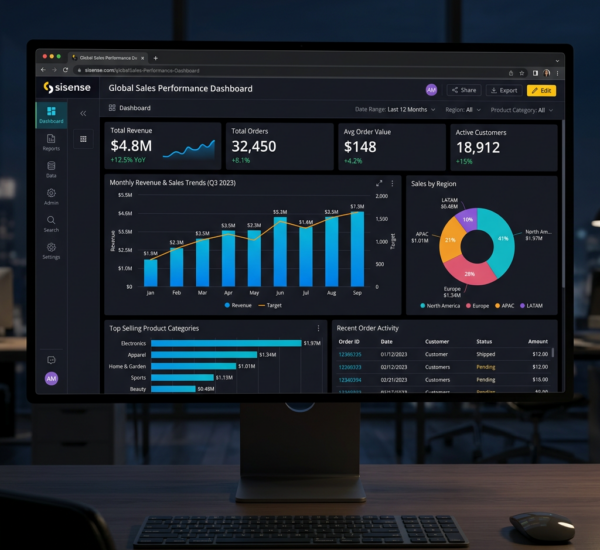
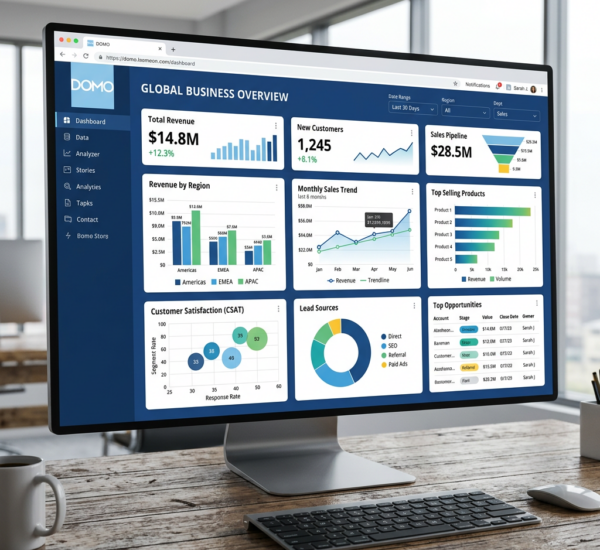
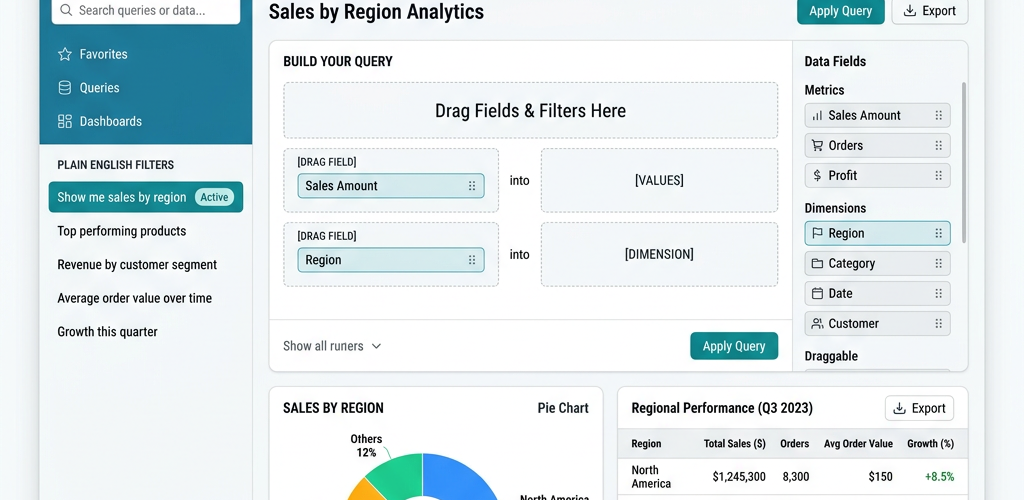
The good news? A new generation of AI-powered BI tools has eliminated the SQL requirement entirely. You can now ask questions in plain English — “What were our top-selling products last month?” or “Which marketing channel has the best ROI?” — and get instant answers with visualizations.
What Makes a BI Tool ‘Easy’ for Non-Technical Users
Natural language querying. You type a question in English, the tool translates it to a data query and returns the answer. No SQL, no formulas, no pivot tables.
Automatic dashboard generation. Instead of manually building charts and graphs, the tool should analyze your data and create relevant dashboards automatically based on what it finds.
One-click data connections. Connecting to your data sources (Shopify, QuickBooks, Google Sheets, CRM) should take minutes, not hours of configuration.
Proactive insights. The best tools don’t wait for you to ask questions — they surface anomalies, trends, and opportunities automatically. “Your customer acquisition cost increased 23% this week” is more valuable than a static chart you have to interpret.
Easiest BI Tools for Non-Technical Users in 2026
1. Pulse AI — Easiest Overall
Pulse AI was designed from the ground up for people who don’t have technical backgrounds. You connect your data sources (one-click authentication), and the AI builds your dashboards, identifies trends, and delivers insights — all in plain language.
Why it’s the easiest: There is literally nothing to configure. Connect your accounts, and within minutes you have a working dashboard with AI-generated insights. Ask questions in natural language (“Why did revenue drop last Tuesday?”) and get answers with supporting charts. Zero SQL, zero formulas, zero technical setup.
Best for: Business owners, marketers, and non-technical managers who need data insights but don’t want to learn a new tool.
2. ThoughtSpot — Natural Language Search for Enterprise
ThoughtSpot pioneered natural language search for BI. Type questions, get answers. Very powerful for large organizations with existing data warehouses.
Limitation: Enterprise-priced (typically $20K+/year). Requires a data warehouse (Snowflake, BigQuery, etc.) to connect to — it doesn’t connect directly to tools like Shopify or QuickBooks. Not designed for small businesses.
3. Microsoft Power BI — Accessible but Still Technical
Power BI has improved its natural language features (Q&A visual), but it’s still fundamentally a technical tool. Building useful dashboards requires understanding data models, relationships, and DAX formulas.
Limitation: The learning curve is real — most users need 20-40 hours of training to be productive. The natural language feature works for simple questions but breaks down with complex queries. $10/user/month sounds cheap until you factor in training and setup time.
4. Google Looker Studio — Free but Technical
Free and powerful, but not easy. Every dashboard is built manually. No AI insights, no natural language queries. You need to understand data connectors, calculated fields, and chart configuration.
Limitation: Not designed for non-technical users. Expect 10-20 hours to build your first useful dashboard.
Ease of Use Comparison
| Criteria | Pulse AI | ThoughtSpot | Power BI | Looker Studio |
|---|---|---|---|---|
| No SQL required | ✅ | ✅ | ⚠️ | ❌ |
| Natural language queries | ✅ | ✅ | ⚠️ Basic | ❌ |
| Auto-generated dashboards | ✅ | ❌ | ❌ | ❌ |
| Time to first insight | 5 minutes | Days (setup) | Hours | Hours |
| Designed for non-technical | ✅ | ❌ (Enterprise) | ❌ | ❌ |
| Free plan | ✅ | ❌ | Limited | ✅ |
Our Recommendation
If you don’t know SQL and don’t want to learn it, Pulse AI is the clear winner. It’s the only tool in this space that was genuinely built for non-technical users from day one — not a technical tool with a simplified mode bolted on. The AI does the heavy lifting: connecting data, building dashboards, finding insights, and answering questions in plain English.
Frequently Asked Questions
Do I need to know SQL to use business intelligence tools?
Not anymore. AI-powered tools like Pulse AI let you ask questions in plain English and get instant answers. Traditional tools like Power BI and Tableau still benefit from SQL knowledge for advanced use cases.
What is the easiest BI tool for small business owners?
Pulse AI is the easiest BI tool for small business owners. It requires no technical setup — connect your business tools and get AI-powered dashboards in minutes. No SQL, no formulas, no data modeling required.
Can I build dashboards without any coding?
Yes. Pulse AI automatically generates dashboards from your connected data sources. Other tools like Power BI and Looker Studio let you build dashboards without coding, but they require significant manual configuration.