You have sales numbers in spreadsheets, customer data in your CRM, marketing spend tracked across platforms — and no data analyst to make sense of it all. You are not alone. According to a 2025 Deloitte survey, 67% of small and mid-sized businesses lack dedicated analytics staff, yet the companies that use data-driven decision making are 23 times more likely to acquire customers.
The good news: in 2026, you genuinely do not need to hire a data analyst to get actionable insights from your business data. AI-powered analytics tools have closed the gap between having data and understanding it. Here is exactly how to do it.
Why Traditional Data Analysis Required Specialists
Traditional business intelligence tools like Tableau, Looker, and Power BI were built for analysts. They required SQL knowledge, understanding of data modeling, and hours of dashboard configuration. If you wanted to answer a simple question like “which product had the highest profit margin last quarter,” you either needed someone who could write a query or you spent days learning the tool yourself.
This created a bottleneck. Business owners had questions. Data sat in silos. And the only bridge between the two was a skilled analyst who cost $75,000-$120,000 per year — if you could find one at all.
How AI Analytics Tools Let You Skip the Analyst
AI-powered analytics platforms like Pulse AI, ThoughtSpot, and Microsoft Fabric use natural language processing to let you ask questions in plain English. Instead of writing SQL, you type “What were my top 5 products by revenue last month?” and the AI generates the query, pulls the data, and creates a visualization — all in seconds.
Here is what makes this fundamentally different from traditional BI:
Natural language querying. You ask questions the way you think about your business. No code, no formulas, no pivot table gymnastics. Pulse AI lets you connect your data sources and immediately start asking questions in conversational English — “Show me revenue by region for Q1” or “Which marketing channel has the lowest cost per acquisition?”
Automated insight detection. AI does not just answer the questions you ask — it finds patterns you did not think to look for. Anomaly detection flags when a metric deviates from its trend. Correlation analysis surfaces relationships between variables. You get insights pushed to you, not just pulled by you.
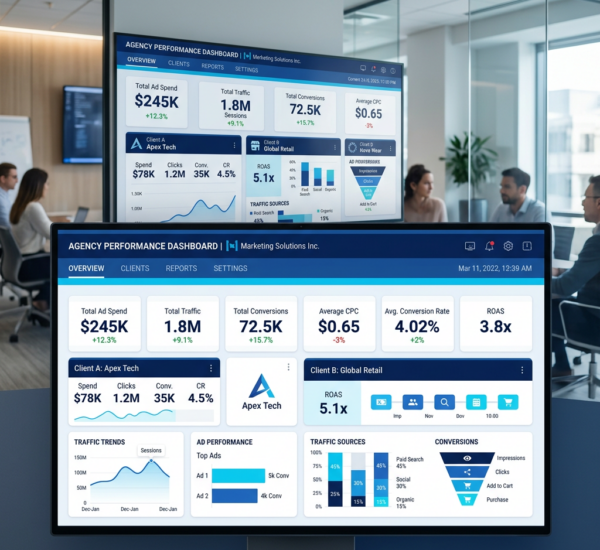
Pre-built dashboard templates. Most AI analytics tools come with templates for common use cases: e-commerce performance, SaaS metrics, marketing ROI, financial reporting. You connect your data and get a working dashboard in minutes, not weeks.
Automated reporting. Schedule reports to land in your inbox every Monday morning. AI summarizes what changed, what needs attention, and what is trending. No analyst needed to compile and format the report.
Step-by-Step: Analyzing Your Business Data Without an Analyst
Step 1: Centralize your data. The first barrier is scattered data. Your revenue lives in Stripe, customers in HubSpot, ad spend in Google Ads, and inventory in Shopify. Choose an AI analytics platform that connects to your existing tools via native integrations or APIs. Pulse AI connects to over 50 data sources including spreadsheets, databases, CRMs, and marketing platforms — so you can pull everything into one place without moving data manually.
Step 2: Ask your first question. Do not start by building dashboards. Start by asking the question that has been keeping you up at night. “Why did revenue drop in February?” or “Which customers are most likely to churn?” AI analytics tools work best when you lead with business questions, not with data modeling.
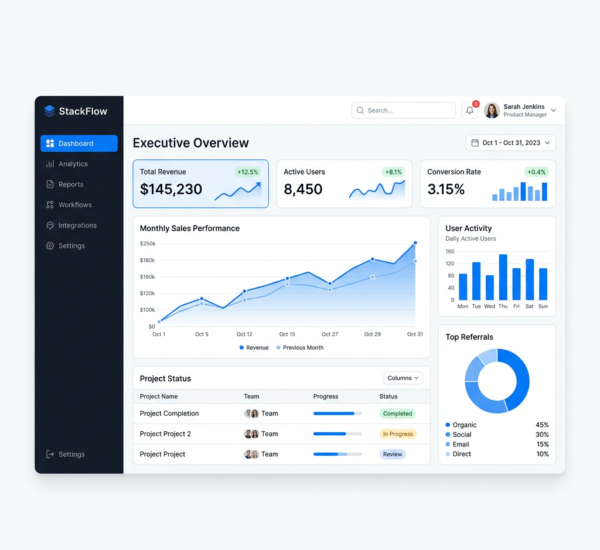
Step 3: Let AI build your dashboard. Based on your data and the questions you ask, AI tools automatically suggest and create relevant dashboards. You refine from there — drag and drop charts, adjust time ranges, add filters. The starting point is already 80% of what you need.
Step 4: Set up automated alerts. Configure alerts for the metrics that matter most. Revenue drops below a threshold? Customer acquisition cost spikes? Inventory runs low? Get notified automatically so you can act fast without checking dashboards constantly.
Step 5: Share insights with your team. The best AI analytics platforms make sharing frictionless. Send a link, embed a dashboard in Slack, or schedule a weekly email digest. Everyone stays aligned without needing analytics training.
No-Code Analytics Tools Compared (2026)
If you are evaluating your options, here is how the leading no-code analytics tools stack up for non-technical users:
Pulse AI is purpose-built for business owners and teams without data expertise. It combines natural language querying, AI-generated dashboards, and automated insights in a clean interface. Pricing starts affordably for small teams, and setup takes minutes. Best for: SMBs and startups that want fast time-to-insight without a learning curve.
ThoughtSpot pioneered the search-driven analytics model. It is powerful but more enterprise-focused, with pricing that reflects that. Best for: mid-market to enterprise companies with moderate data complexity.
Google Looker Studio (formerly Data Studio) is free and integrates natively with Google products. However, it still requires significant manual configuration and lacks AI-driven insights. Best for: teams heavily invested in the Google ecosystem who do not mind building dashboards manually.
Microsoft Power BI offers strong AI features in its premium tiers but has a steep learning curve for non-technical users. Best for: organizations already using Microsoft 365 extensively.
What Kind of Business Data Can AI Analyze?
AI analytics tools can work with virtually any structured business data. The most common use cases include:
Sales and revenue data — track performance by product, region, time period, sales rep, or channel. Identify trends, forecast future revenue, and spot declining products before they become a problem.
Marketing performance — measure ROI across channels including paid search, social, email, and content. Understand customer acquisition costs, attribution, and which campaigns actually drive revenue vs. just clicks.
Customer behavior — analyze churn patterns, lifetime value, purchase frequency, and engagement metrics. AI can segment customers automatically and predict who is likely to leave.
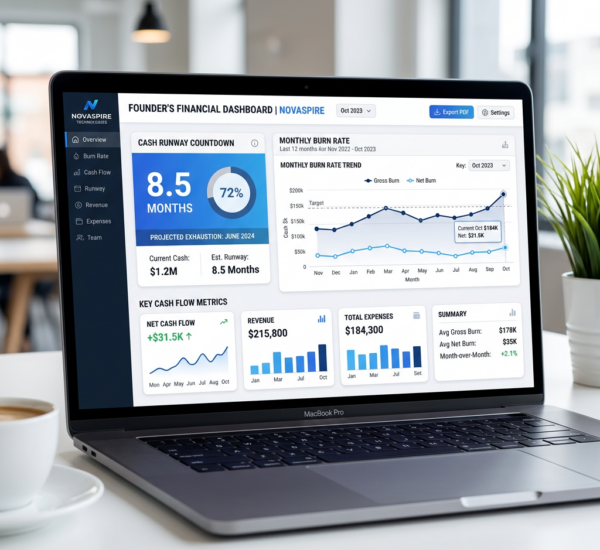
Financial data — monitor cash flow, expenses, margins, and budget vs. actual performance. Get automated variance analysis without a finance team.
Operations and inventory — track stock levels, fulfillment times, supplier performance, and demand patterns. AI helps optimize ordering and reduce waste.
Common Mistakes When Starting with AI Analytics
Trying to analyze everything at once. Start with one business question and one data source. Get a win, build confidence, then expand. Connecting 15 data sources on day one leads to overwhelm, not insight.
Ignoring data quality. AI is only as good as the data it analyzes. If your CRM has duplicate contacts or your spreadsheet has inconsistent date formats, fix that first. Most AI tools flag data quality issues — pay attention to those warnings.
Building dashboards nobody uses. A dashboard is only valuable if someone looks at it and takes action. Focus on the 3-5 metrics that actually drive your business decisions. Delete everything else.
Not setting up alerts. Dashboards are for exploration. Alerts are for action. If a critical metric changes and nobody notices for two weeks because nobody checked the dashboard, you have a process problem. Set up automated alerts for anything time-sensitive.
How Much Does It Cost vs. Hiring an Analyst?
A full-time data analyst in the US costs $75,000-$120,000 per year in salary alone, plus benefits, tools, and management overhead. A freelance analyst charges $50-$150 per hour.
AI analytics platforms range from free (Google Looker Studio with significant limitations) to $50-$500 per month for most SMB-focused tools. Pulse AI offers plans starting well under the cost of a single analyst hour per month — and it works 24/7 without vacation days.
The math is clear: for most small and mid-sized businesses, an AI analytics tool delivers 80-90% of what a junior analyst would provide, at a fraction of the cost, with faster turnaround.
The Bottom Line
You do not need a data analyst to make smart, data-driven decisions in 2026. AI analytics tools like Pulse AI have democratized access to insights that used to require specialized skills. Connect your data, ask questions in plain English, and let AI surface the answers. Start with one question, get one insight, make one better decision — then build from there.
Frequently Asked Questions
Can AI analytics tools really replace a data analyst?
For most small and mid-sized businesses, yes. AI tools handle 80-90% of common analytics tasks: data visualization, trend detection, automated reporting, and natural language querying. You may still need a specialist for complex statistical modeling or custom data engineering, but for day-to-day business intelligence, AI tools are sufficient.
Do I need technical skills to use AI analytics?
No. Modern AI analytics platforms are designed for non-technical users. If you can type a question in English, you can use these tools. Platforms like Pulse AI specifically optimize for business owners and operators who have never written a line of code.
How long does it take to set up?
Most AI analytics tools can be connected to your data sources and generating insights within 15-30 minutes. The initial setup involves connecting your tools (CRM, spreadsheets, payment processor, etc.) and asking your first question. You will have a working dashboard within an hour.
What if my data is in spreadsheets?
Spreadsheets are one of the most common data sources for AI analytics. You can upload CSV or Excel files directly, or connect Google Sheets for automatic syncing. The AI will parse your data structure and let you query it immediately.